Blog Category : WTC Blogs
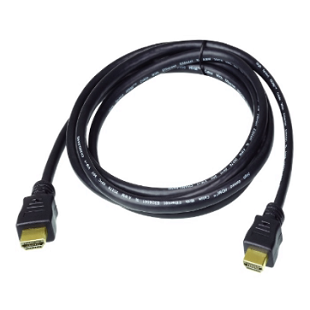
HDMI is an interface used to interconnect screens, cameras and other AV equipment. They carry video and audio in one cable. In professional setups, HDMI display cables are important to show clear pictures and sound. Minor problems may arise, such as poor sound, no picture or flickering. The majority of these problems are easy to resolve. Careful use of the cables and routine checking of the connections are useful to make them work well. A proper setup ensures smooth display and clear audio for all AV devices. In this article, we will cover everything you need to know about this in easy language.
Some problems happen when cables are not used correctly. It might be an issue with a slightly loose connection, which will result in no signal being displayed on the monitor. Old or broken cables can make the image flicker or the audio cut out. Improper fit of the cable in the device can also cause low performance. These problems are small but can affect professional setups if not checked early.
HDMI display cables have simple and useful features that help carry clear sound and video, connect easily, and work well with many devices.
These features make these cables reliable for professional environments.
These simple steps help avoid signal problems and keep the system working properly.
Using HDMI cables carefully improves performance and reduces problems. Proper handling ensures that audio and video stay clear. Regular inspection and using the right cables for each device increases reliability. These practices also extend the life of the cables. Proper use of HDMI display cables ensures smooth operation in professional AV setups.
Why Choose Us
We provide good HDMI display cables and simple AV solutions. We help set up systems the right way and fix problems quickly. Our goal is to give a clear sound and picture. We ensure that offices, meeting rooms and other setups are working well.
Conclusion
In short, the HDMI cables are an essential component of any professional AV installation. Issues such as loose connections, damage, or incorrect cables are typical yet simple to correct. Proper display of HDMI cables and proper handling of HDMI cables are a guarantee of clear video and audio at all times. We at WTC Systems L.L.C. provide high-quality AV solutions and support reliable setups for businesses and offices. Our focus on proper products and system support helps reduce common cable issues. You can visit us at wotfc.ae to explore our AV solutions and get the right HDMI cables for your needs. Contact us now.


 Support